

Digital wardrobe organizer app solutions in 2026 let you digitize your closet, analyze cost-per-wear, plan outfits with AI, and cut your morning decision time dramatically—if you choose the right platform for your needs. This practical guide compares the best apps, explains feature trade-offs (AI, privacy, platform, pricing), and walks you through a 2-hour setup so you can reduce decision fatigue, track real cost-per-wear, and wear more of your wardrobe—starting today.
Ready to finally make your closet work for you? Read on for the apps, analytics, and privacy details that matter right now—so your next outfit (and every one after) takes five minutes or less to pick.
Key Takeaways
- Acloset and Whering are 2026’s most popular digital wardrobe apps, each with over 7M users, deep analytics, and strong AI onboarding.
- AI-powered onboarding and outfit planners drop morning outfit selection time from ~20 minutes to ~5 and can boost wardrobe utilization from ~12% to over 34%.
- Apps differ sharply on cost (free, subscription, one-time), privacy controls, cross-platform access, and cost-per-wear tracking—knowing your must-haves is key.
- What Is a Digital Wardrobe Organizer App? (Core Concept)
- Top Apps at a Glance—Who to Choose First
- Fast Setup: Step-by-Step Guide
- Advanced Analysis & Common Pitfalls
- Conclusion
- FAQs
What Is a Digital Wardrobe Organizer App?
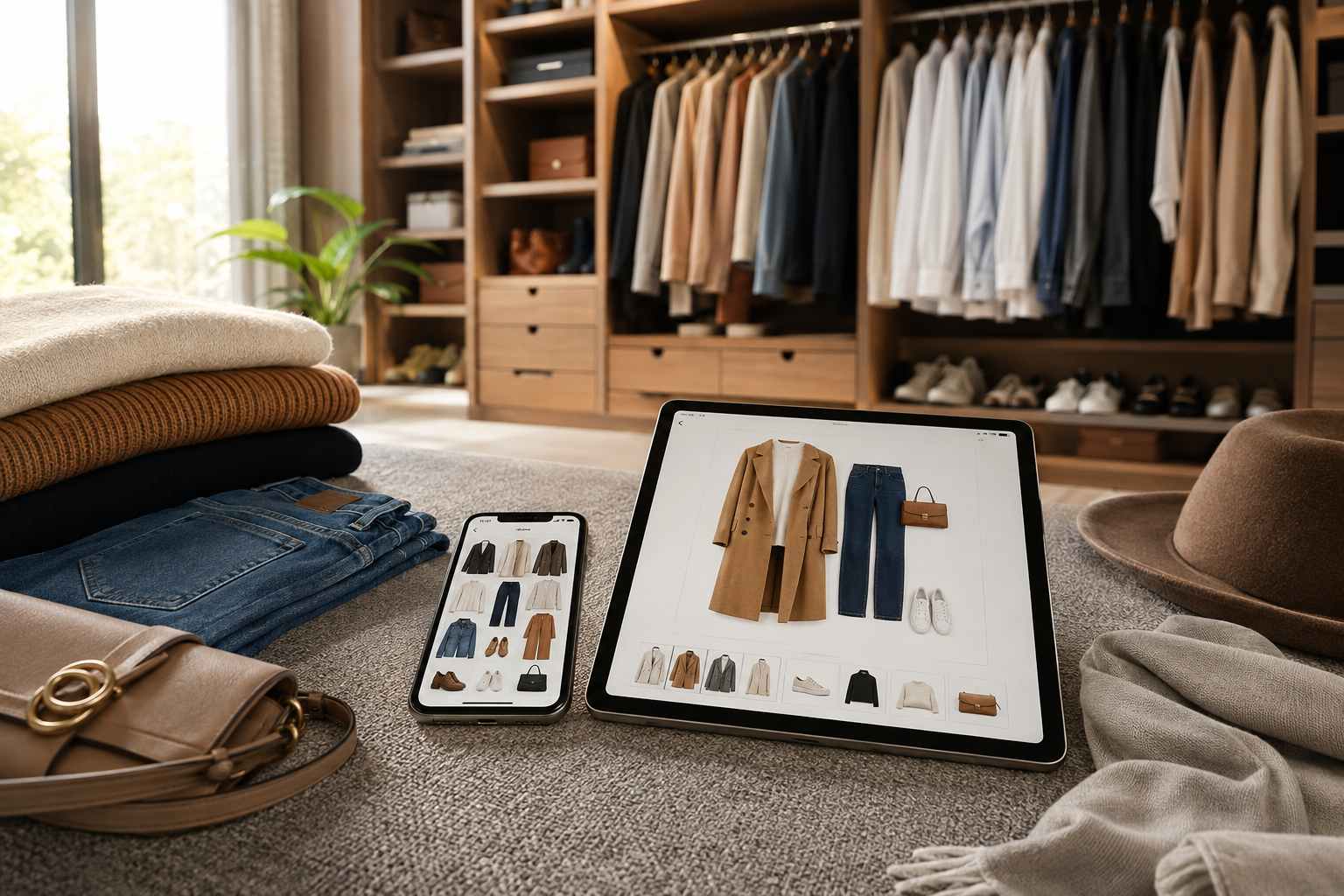
A digital wardrobe organizer app is a smartphone, tablet, or web tool that helps catalog clothing, create virtual closets, plan and track outfits, and analyze clothing ROI (e.g., cost-per-wear or carbon impact). It matters because the average person wears just 12–20% of what they own; by digitizing, tracking, and using AI-powered outfit planning, most users regain time, curb shopping impulses, and boost sustainability. These apps especially help style-conscious, busy users who want to break decision fatigue, measure what they’re actually wearing, and make smarter wardrobe (and shopping) choices.
Important caveats: Not all apps offer the same privacy standards, accuracy of auto-tagging, or cross-platform support. Historically, the manual photo cataloging process was an 8-hour barrier—but leading apps now use AI to reduce setup to under 2 hours, with most supporting iPhone, Android, and web sync (source).
See also: closet organization systems for physical closet upgrades.
Top Apps at a Glance — Who to Choose First
Here’s your current best-in-class shortlist, tuned to needs like AI setup, cost analytics, device, and subscription preference. All entries are backed by usage or published features as of 2026 (source, source, source):
| App | Best For | Platform | AI Features | Cost-per-Wear Analytics | Free? | Paid Option | Privacy* |
|---|---|---|---|---|---|---|---|
| Whering | Sustainability & analytics | iOS, Android, Web | Auto-tag, outfit planner | Yes + carbon | Core | ~$6.99/mo | Encryption, strong export |
| Acloset | Value, adoption | iOS, Android, Web | Auto background/tagging | Yes | 100 items | $3–$10/mo | Encryption, export |
| Clueless | AI outfit planning | iOS, Android | Weather+calendar AI | Basic | Limited | $9.99/mo $69.99/yr |
Standard |
| Nouva | Conversational AI | iOS, Android | AI styling/chat | Yes | Core | $7.99/mo | Encryption |
| GetWardrobe | Time-tested blend | iOS, Android, Web | Basic AI planner | Yes | 100 items | $2.99/mo | Export, privacy policy |
| Indyx | Power-user, stylists | iOS, Android, Web | Metadata, human stylist | Yes | Core | ~$13/mo | Professional policy |
| Alta | Free+fast onboarding | iOS, Android | Auto separation/tagging | Basic | Full | Ad supported | Core |
| Stylin | Free + iOS only | iOS | Auto body-shape fits | Basic | Full | Free | Strong privacy |
| Stylebook | Manual detail, no sub | iOS | Manual, packing, calendar | Granular | n/a | $4.99 one-time | Offline, data export |
| Selion.ai | AI recognition, multi-lang | iOS, Android, Web | Multimodal AI | Yes | Limited | from $6.99/mo | Encryption, export |
*All leading apps now offer image encryption, clear privacy policy, and user export/delete as standard (source).
- Best for AI/planning: Clueless, Nouva
- Best for sustainability + analytics: Whering
- Best iPhone only/no-sub: Stylebook, Stylin
- Best free: Alta, Stylin
Related: Best virtual closet apps for iPhone
Fast Setup: Step-by-Step Guide
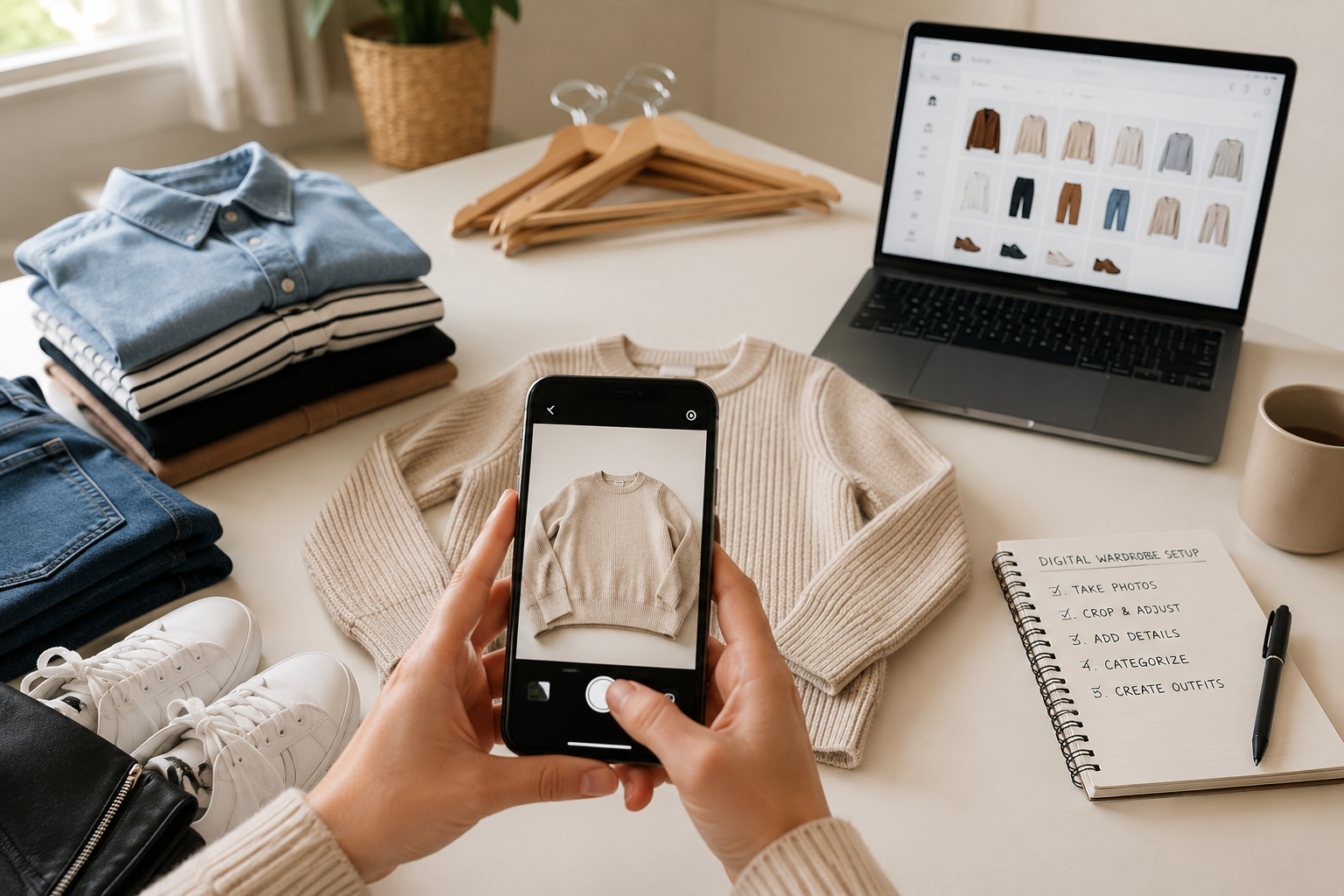
You can digitize your functional wardrobe in under two hours with AI-powered onboarding. Here’s how:
- Download and choose your app. For the fastest onboarding, pick Acloset, Alta or Whering—each uses AI for background removal and auto-tagging.
- Bulk upload or take single-photos (the “Outfint” method). Place clothes flat/one at a time in good light. AI will extract items separately and remove backgrounds.
- Prioritize your high-wear, versatile, and high-cost pieces first. Start with 30–50 staples (jackets, shoes, most-worn shirts) to get immediate ROI data.
- Review/correct auto-tags (type, color, seasonality). Fix major errors so future wear stats and outfit recommendations stay accurate.
- Enable calendar and weather sync (if available). This personalizes outfit suggestions instantly—huge for decision-fatigue relief.
- Export a backup. Most apps let you export images+metadata. Do it now and set a recurring reminder.
For more onboarding strategies, see step-by-step decluttering guides and this guide to digitize your closet with AI.
Advanced Analysis & Common Pitfalls
Digital wardrobe organizer apps are powerful—but only if you know the practical trade-offs. Here’s how to set smart expectations and make the right choice.
Evidence-based Benefits
- Morning outfit selection drops from ~20 minutes to ~5 minutes with AI-driven planners (source).
- Wardrobe utilization increases from 12% to 34–35% within a month, as reported by major app users (source).
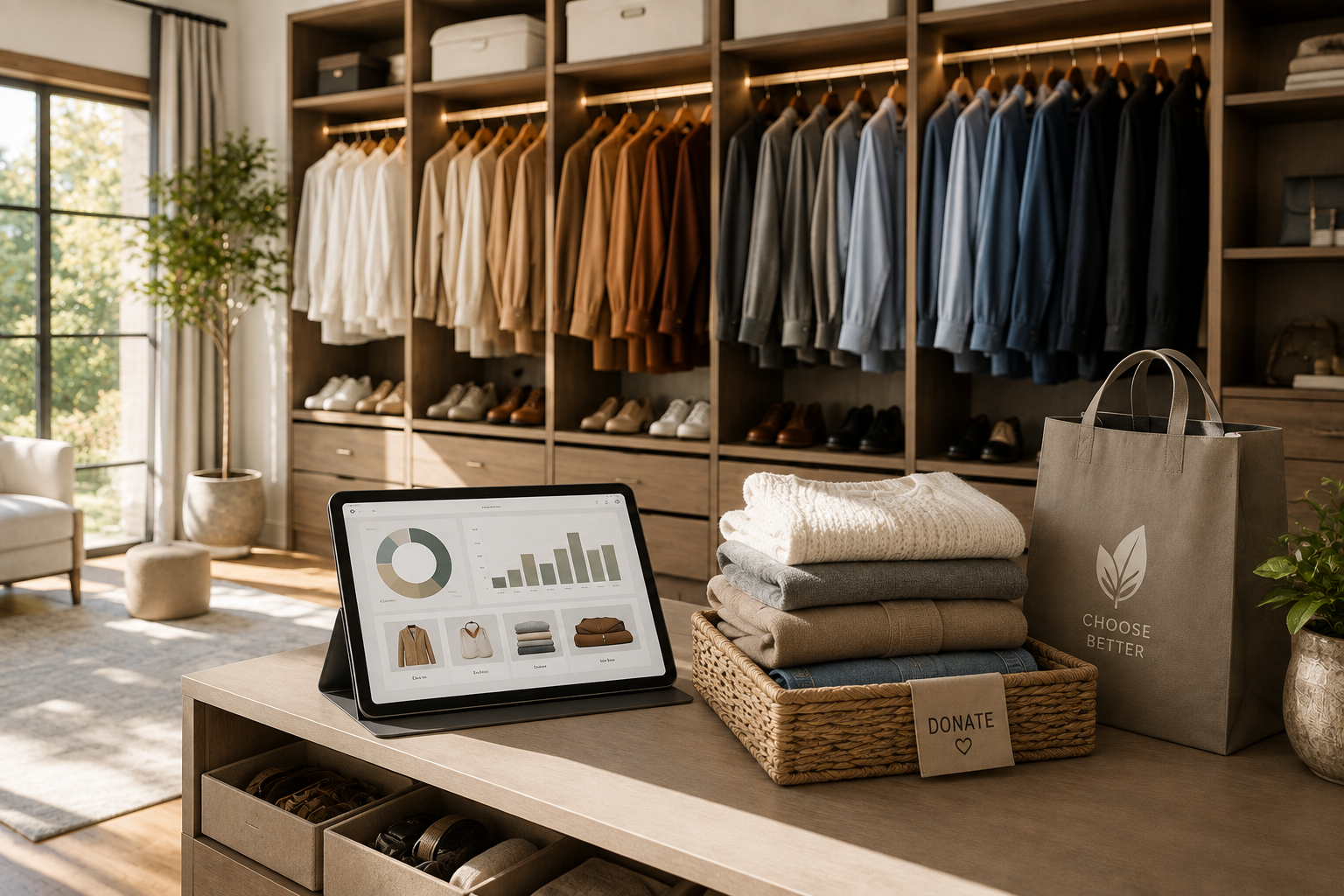
- Cost-per-wear and donation analytics: 40–60% drop in impulse buys and up to 30% of catalogued items are donated as identified “never wear” within three months.
Common Pitfalls & Fixes
- Photo/auto-tagging accuracy: Inconsistent in poor light or with odd poses—review and correct (especially garment type/color) after upload.
- Cold start problem: AI suggestions improve dramatically after cataloging the first 30–50 worn items and providing a week’s feedback.
- Free tier/item limits: Many apps (like Acloset) cap free use at 100 items. Plan to upgrade or cull catalog accordingly.
- Subscription fatigue/paywall friction: Stylebook stays popular with a single $4.99 payment, while Alta and Stylin are free and ad-supported. Most others cost $6.99–$9.99 monthly.
- Data privacy and portability: Always check for encrypted storage, explicit photo/delete export, and a plain-language privacy policy pledging no resale of images or data (source).
| App | Unique Strength | Setup Speed | AI Quality | Cost-per-Wear | Platforms | Pricing Model | Privacy/Data |
|---|---|---|---|---|---|---|---|
| Whering | Sustainability leader, resale built-in | Fast | Good | Advanced | iOS/Android/Web | Free core, ~$6.99/mo | Encryption, export/delete |
| Acloset | Auto-tag & community, value at free tier | Fast | Good (fix tags) | Good | iOS/Android/Web | 100-free, paid tiers | Strong privacy |
| Clueless | AI-first, best outfit planner | Fast | High | Basic | iOS/Android | $9.99/mo, $69.99/yr | Standard |
| Nouva | Conversational AI, rapid learning | Medium | Excellent | Full | iOS/Android | $7.99/mo | Encryption |
| Stylin | iOS free, body-shape fit | Fast | Medium | Basic | iOS only | Free | Strong privacy |
| Stylebook | Manual detail/control | Slowest | Manual | Deep | iOS | $4.99 one-time | Offline/data export |
See also detailed feature charts from Wardrowbe.
Must-Have Feature Checklist
- Automated photo extraction and background removal
- Auto-tagging (type, color, season), with quick-edit
- Wear tracking & cost-per-wear analytics
- Calendar/weather-aware AI planner
- Cloud sync (iPhone/Android/Web), export/delete controls
- Encryption and privacy policy—no third-party resale of images
- Resale and e-commerce integration (optional)
More: sustainable wardrobe habits and guides.
Conclusion
Choosing the right digital wardrobe organizer app in 2026 is your shortcut to faster mornings, smarter shopping, and a more sustainable closet. Prioritize apps with robust AI onboarding, solid cost-per-wear analytics, and the privacy/export options you need. Whether you prefer free, subscription, or a low one-time buy, there’s a solution—just start with the fastest criteria and digitize your most-used staples first.
Next steps: Compare your shortlist, double-check privacy, and digitize your core pieces today. Calculate your cost-per-wear, or see full iPhone app reviews.
FAQ
Which digital wardrobe app reduces decision fatigue fastest for iPhone users?
For iPhone, Acloset and Whering offer the fastest AI-driven onboarding and outfit suggestions. Clueless and Nouva provide more advanced AI planners, but Stylebook or Stylin are great iOS-only choices if you want full manual control or a completely free app.
How is cost-per-wear calculated and used in these apps?
Cost-per-wear = original price ÷ total wears. Apps like Whering let you track wears by logging each outfit, auto-calculating cost-per-wear for every item. Use this metric to identify unworn, high-cost pieces—flag them for donation, resale, or focused styling.
How long does it take to digitize an average wardrobe using AI features?
AI-powered apps cut cataloging time from ~8 hours to under 2 hours for a medium-sized wardrobe when using bulk photo/upload and auto-tagging features. For best accuracy, focus first on your top 30–50 staple items.
Are my wardrobe photos private and can I export or delete them?
Leading apps encrypt images in transit and at rest, prohibit selling wardrobe photos to third parties, and provide clear export and delete controls. Always review the privacy policy and test export features before committing your full wardrobe.
Do wardrobe apps help me buy less and wear more? Are there measurable results?
Yes. Users typically increase their wardrobe utilization to over 34%, rediscover unworn pieces, and report a 40–60% drop in impulse clothing buys within a few months.